

One thing that gets hard is reading about all of the wonderful AI tools out there. I’m sure a lot of people are thinking: I don’t want to spend $145 a month on AI tools, but I do want to get out there, learn, and see how these tools can make my life better.
The other struggle is that things change a lot. So here is what I’m recommending this month, at two budgets: $0 and $20.
The picks
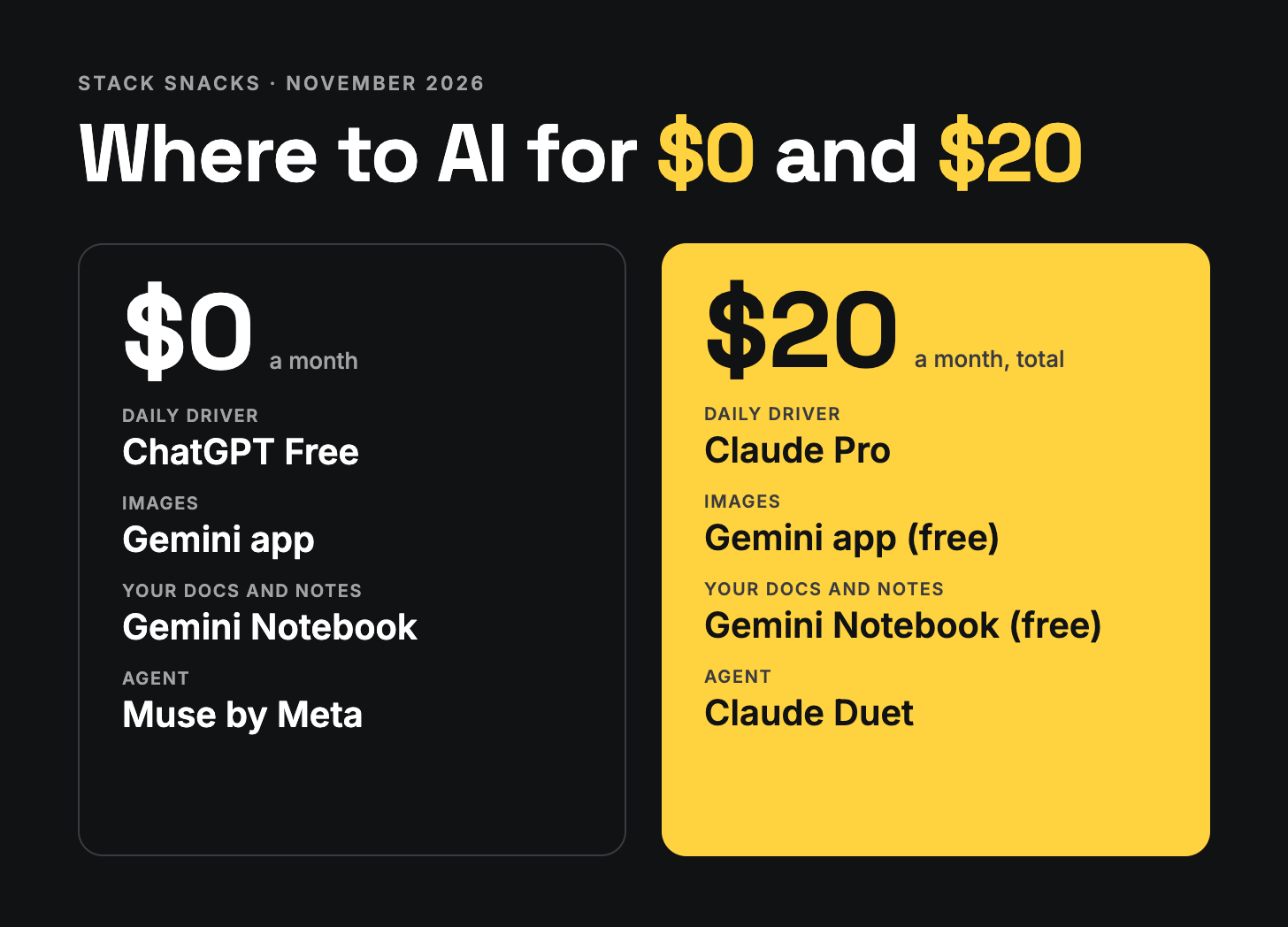
The $0 stack
Daily driver: ChatGPT Free
ChatGPT Free is still the best bang for your buck. You get what feels like nearly unlimited usage. It’s ad-supported, which does suck, but for what you get for free it feels like a worthy tradeoff.
Images and a second opinion: Gemini
It’s also worth signing up for a Gemini account. The Gemini Flash models are decent enough in a pinch when you want something different from what ChatGPT is giving you. You also get image generation inside Gemini, and Google’s media creation models are still some of the best out there.
Your own docs and notes: Gemini Notebook
That same Google account gets you Gemini Notebook, the tool formerly called NotebookLM. Upload your docs and notes, and it answers from your own material.
Those two accounts will get you far.
Agent: Muse by Meta
If you want to try an agent, there is really only one choice on the free tier: Muse by Meta. I’ve had an up-and-down relationship with Meta over the years, so I understand any hesitation about trying this service. But Muse is the best way to get a glimpse of what agents can do and how one can work into your day-to-day life. It’s US-only for now.
A simple thing to try: set up Muse, then ask it to look for a deal on an item in Facebook Marketplace and send you the best five once a week.
The $20 pick: Claude Pro
Now let’s say you want to spend a few bucks and are OK with just one subscription. This is the first time I’d recommend someone start with Claude over ChatGPT.
Claude with the Opus 5.5 model can do nearly anything you throw at it. The one thing it doesn’t do a great job at is work that needs a lot of web searches. But as a workhorse for getting any type of work done, Claude just delivers.
Projects work differently now
Claude also has a new update to Projects. Here is what makes them a little different:
One project, one goal. You tell the project what you want done, in one ongoing chat.
Claude acts as the manager. It breaks the goal into pieces and hands each piece to its own helper.
Helpers work side by side. Each one runs in the cloud, can call in more helpers, and keeps going after you close your laptop.
You check in, not babysit. Results come back to the main chat for you to review.
Since this release I’ve been using Claude consistently, and it has changed how I use it. The project workflow takes some getting used to, but it’s worth it. Inside a project you have all of your chat threads, one per task, plus a section that shows what you need to step in on and approve across all the open threads.
One heads-up: the new Projects is in beta and still rolling out to Pro accounts, so you may not see it yet.
Duet, your proactive agent
The Claude subscription now also covers Duet, Claude’s proactive agent. Here is what you get:
A chief of staff you text. You message Claude like a person, and it handles the legwork.
It knows your world. It connects to your mail, calendar and docs, so answers come from your real stuff.
Channels for big areas. One main chat, plus side chats for things like work or family.
Longer work runs in the background. It reports back when done, and a Tasks page shows where things stand.
It checks in. A morning brief, plus a nudge when something needs you.
You stay in charge. It drafts and asks first before anything sends, books or spends.
Duet is a research preview with a US waitlist, so you may wait a bit for access after you sign up.
The bottom line
For what you get for $20, Claude is now my official go-to, and it is back in the lead.
I still like a lot of what OpenAI has, and I might pick an OpenAI model for certain tasks. But if I had to pick one subscription right now, it would be Claude.